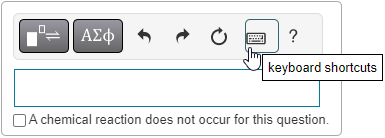
Keyboard shortcuts: Enter chemical expressions
It can be faster to use your keyboard to enter some chemical expression answers instead of using the answer box toolbar. Tablet and smartphone users: Tap the answer box for the toolbar to display beneath it.
 Subscript, superscript, and stacked subscript/superscript (for isotope)
| For this format | Type this from your keyboard | On a tablet or smartphone, open the ... |
|---|---|---|
|
N3 (subscript) |
_ (underbar) |
Numeric keyboard |
|
102 |
^ |
Numeric keyboard |
|
|
\stack |
Letters keyboard |
 to enter _
 to enter \stack
Arrows (reaction, equilibrium)
| For this chemical symbol | Type this from your keyboard | On a tablet or smartphone, open the ... |
|---|---|---|
|
|
-> or --> (\-> and \--> also work.) |
Numeric keyboard |
|
|
\= or \eq |
Letters keyboard |

Plus, minus, fraction, and dot
| For this character or format | Type this from your keyboard | On a tablet or smartphone, open the ... |
|---|---|---|
|
+ |
+ |
Numeric keyboard |
|
- |
- (hyphen) |
Numeric keyboard |
|
(fraction) |
/ |
Numeric keyboard |
|
(multiplication dot) |
* (asterisk) |
Numeric keyboard |
Greek letter symbols
| For this letter | Enter this from your keyboard | On a tablet or smartphone, open the ... |
|---|---|---|
|
a |
\alpha |
Letters keyboard |
|
b |
\beta |
Letters keyboard |
|
g |
\gamma |
Letters keyboard |
|
n |
\nu |
Letters keyboard |
Overbar
| For this format | Type this from your keyboard | On a tablet or smartphone, open the ... |
|---|---|---|
|
|
\bar |
Letters keyboard |

Parentheses and brackets
When you enter the first part, it displays in red until you close the expression.
| For these characters | Type this from your keyboard | On a tablet or smartphone, open the ... |
|---|---|---|
|
( ) |
( ) |
Numeric keyboard |
|
[ ] |
[ ] |
Numeric keyboard |
To move the cursor within your answer: On a computer, use your keyboard arrow keys. On a mobile device, use your finger or other input device. For finer cursor control on a phone: Enlarge your view of the answer box before moving the cursor.
Open these keyboard instructions as you answer questions
Select  Keyboard shortcuts from the toolbar to open these instructions.